
Some of my friends ask me to create a tutorial on How to Create a WordPress Theme, so I did a couple of searches and trying to find out what will be the competition for such post. Then I figured out that those past tutorials are really good, why not round them up into a new post? After all these guys did a pretty good job about this topic and creating a new one won’t make it to the top page in SERP anyway.
I also check my bookmarks to include them into the list, these guys helped me a lot when I was learning about WordPress. If you wanted to learn how to make wordpress theming, you should check them out!
I also created a basic WordPress tips to make you’re life a little easier.
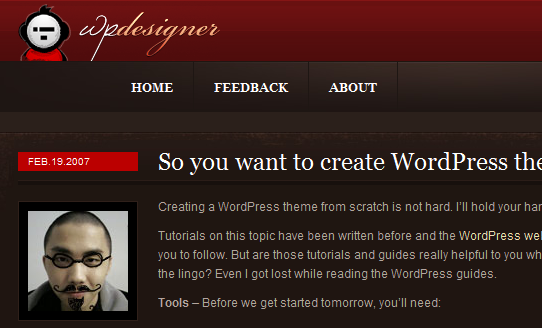
WP Designer

Small potato can’t put this any better; he’ll walk you through every step. He won’t even let you copy his code which is really helpful.
Themetation

Themetation uses a part by part tutorial so you won’t be confused about the tutorial, and they did explain everything.
Themeshaper

Ian Stewart is a genius; he created Thematic and Toolbox framework. He is really good at WordPress.
Blog.spoongraphics

Everybody knows Chris Spooner, he creates stunning web designs and graphics. And in his tut he explain it very well.
Net.tutsplus

Part of Envato Marketplace giants, net.tutsplus is providing really good tutorial for noob and pros in web design world.
Web Designer Wall

Nick La is the owner of this site, he also provides amazing tutorials. His tuts really save me a lot!
Sitepoint

This site is a gold mine of resources and tutorials, great for people who wanted to learn.
SiteGround

Another gold mine of tutorials and information about web design, wordpress and more.
Net.tutsplus

Another from net.tutsplus, great tutorial using a 960 grid framework.
Webhostingsearch

Guys behind this site really explained it in a very clear manner. Go check it out!
Final Words
This websites helped me a lot when I was learning how to create wordpress themes, hope you guys learn from them too! And don’t forget to learn the basics first, remember that “you cannot conquer the world in one day”. Newbies often are eager to learn everything, that you are wasting too much time on nothing. Learn the steps and have the patience to do it right, never jump onto something beyond your grasp.
If you have a tutorial that we can add to the list, feel free to do so in the comments. We should help those new designers out there and give back the love to the community.
